


How to Maintain Print Heads After Printing Jobs?
After the printing job is completed, our most important task is to clean and maintain the printing head.The print head is the core component of any printer, and for Epson printers equipped with models like I3200, I1600, and XP600, proper post-job maintenance is crucial to ensure consistent print quality and extend the device’s lifespan.
Neglecting maintenance after printing can lead to issues such as clogging, uneven ink flow, and even permanent damage, resulting in increased operational costs and downtime. This article outlines comprehensive maintenance strategies tailored to Epson’s popular print head models and different printer types.
General Maintenance Principles for All Epson Print Heads
The I3200 is a high-performance model, commonly used in industrial printers. It has more nozzles and a higher ink droplet ejection frequency. After performing high-intensity printing tasks, it will have an extended cleaning cycle, including pre-cleaning and post-cleaning stages, to remove any obstructions in its multi-row nozzle structure. Additionally, it is advisable to check for bubbles in the ink pipeline after cleaning, as the high-pressure system of the I3200 is more susceptible to air intrusion, which may disrupt the flow of ink.
The I1600, designed for medium-volume applications with a balance of speed and precision, requires careful attention to nozzle alignment during maintenance. After cleaning, print a test pattern to verify that all nozzles are functioning correctly. If inconsistencies appear, perform a manual alignment adjustment through the printer’s settings. This step is less critical for the I3200 but essential for the I1600 to maintain its sharp image output.
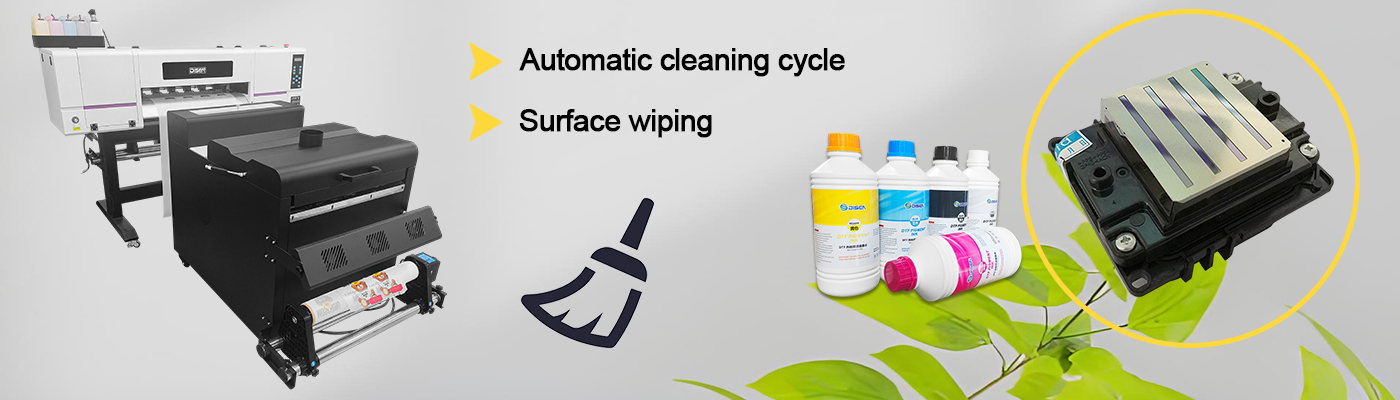
The XP600, a versatile model used in various printers from desktop to small industrial setups, has finer nozzles that are more prone to clogging with thick inks. After printing jobs using viscous inks—common in DTF applications—supplement the automated cleaning with a gentle manual wipe of the nozzle plate. This extra step helps remove any ink residue that the automated cycle might miss, preserving the XP600’s ability to produce detailed prints.
Common Mistakes to Avoid
Even with the best intentions, improper maintenance practices can harm Epson print heads. One common mistake is over-cleaning, which can wear down the nozzle plate and reduce print head lifespan. Stick to the manufacturer’s recommended cleaning frequency—typically one cycle after each job, with deeper cleaning only when print quality degrades. Another error is using non-genuine cleaning fluids or inks, which can contain harsh additives that damage the print head’s internal components. Always use Epson-approved or manufacturer-recommended products to ensure compatibility with I3200, I1600, and XP600 models.
Neglecting regular inspections is also problematic. After maintenance, always print a test page to check for missing nozzles or streaks. Catching issues early prevents them from escalating into major problems. Finally, failing to adapt maintenance routines to usage frequency can lead to inefficiencies: printers used daily require more frequent light cleanings, while those used intermittently need thorough cleaning before and after each use to prevent long-term clogging.

Conclusion
Maintaining Epson print heads after printing jobs is a proactive investment in print quality and equipment durability. By following general maintenance principles, adapting to model-specific needs, and addressing the unique requirements of DTF, sublimation, and UV printers, users can ensure their I3200, I1600, and XP600 print heads perform reliably for years. Regular cleaning, careful inspection, and the use of proper materials are the cornerstones of effective print head maintenance. By integrating these practices into daily operations, businesses and users can minimize downtime, reduce repair costs, and consistently achieve professional-grade print results.